
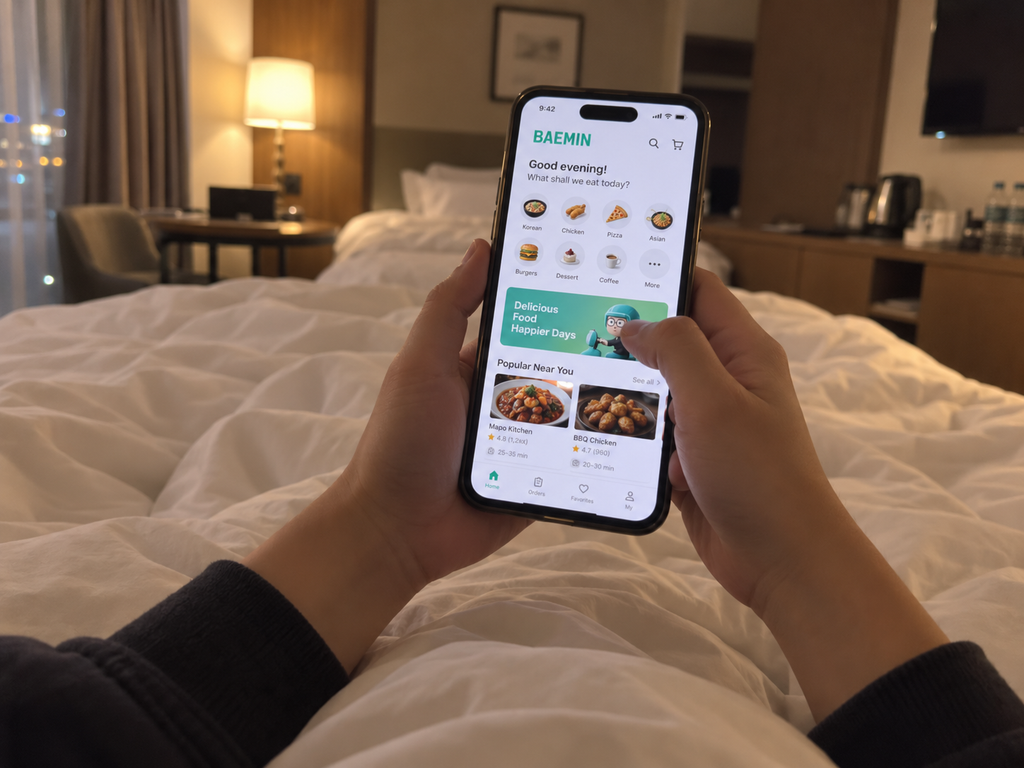
You’ve picked the chicken, chosen the sauce, and made it all the way to checkout. Then the delivery app asks for a Korean phone number.
For a long time, that was where food delivery in Korea became frustrating for tourists.
Fortunately, things are much easier in 2026.
You can now order food delivery in Korea without a Korean phone number, as long as you use the right service. Baemin has become the most practical option for many visitors because it supports guest ordering, foreign payment methods, and multiple languages. Shuttle Delivery is another solid choice, especially if you want straightforward English support.
Coupang Eats and Yogiyo have also become more foreigner-friendly, but signup and phone verification can still create problems depending on your account, device, and payment method.
This guide compares published ordering requirements, rather than reporting a completed order on every app. Start with the documented guest or email-signup routes, then confirm your address, reachable contact method and payment options at checkout.
Quick Answer: Which Food Delivery App Can Tourists Actually Use?
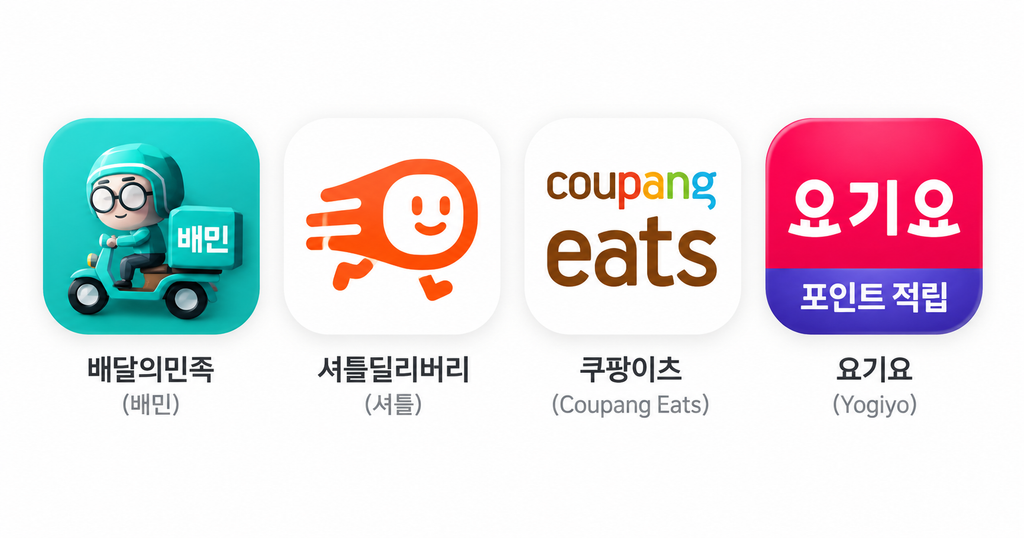
| App | Korean Number | Foreign Card | English | Main Catch |
|---|---|---|---|---|
| Baemin | Not required for guest ordering | Yes; eligible overseas cards can also work with Apple Pay | English, Japanese, Chinese | Some menu translations can be imperfect |
| Shuttle Delivery | Not required | International cards and PayPal | English and other languages | Smaller restaurant selection depending on location |
| Coupang Eats | May still be needed during account setup | Visa and Mastercard reported in August 2026; confirm checkout | English | Tourist signup is less straightforward |
| Yogiyo | Current overseas-number signup not tested | Foreign-card support has been introduced | English | August 2026 report; current signup conditions need checking |
If you just want the short version, try Baemin first and keep Shuttle as your backup.
Delivery fees, minimum orders, restaurant availability, and payment methods vary by location, so always check the final checkout screen before placing the order.
Can You Order Food Delivery in Korea Without a Korean Phone Number?
Yes. You can use food delivery in Korea without a Korean phone number if you choose a service that supports guest ordering or does not require Korean SMS verification.
The important part is choosing an app that does not force you through Korean SMS verification.
The official Baemin merchant guide documents guest orders without login or identity verification, translations and overseas payments. That guest route differs from opening a regular Korean account. A service can still need delivery contact details even when identity verification is not required.
This is a fairly big change from a few years ago. Older travel guides often say that Korean food delivery apps are basically impossible to use without a Korean number or Korean credit card. That advice is increasingly outdated.
There is still one thing to keep in mind: not needing a Korean number for signup does not mean nobody will ever need to contact you.
Your bank might send a security code, or a restaurant or delivery rider may need to clarify your address. Keep your app notifications on and make sure you have at least one contact method you can actually access.
Best Food Delivery Apps in Korea for Tourists
1. Baemin — First Guest-Order Option to Check
- Korean phone number: Not required for guest ordering
- Foreign card: Yes
- English: Yes; Japanese and Chinese are also supported
- Account required: No for guest ordering
- Coverage: Broad, depending on your delivery address
- Best for: Travelers who want the widest practical restaurant selection
- Main drawback: Menu translations are not always perfect
Baemin would be my first app to check if I were staying in a hotel in Seoul and wanted delivery without dealing with Korean account verification.
In May 2026, Baemin confirmed that foreign visitors could place guest orders without logging in or completing identity verification. It also supports automatic menu translation and overseas payment methods.
The app is available in English, Japanese, and Chinese. Baemin also added Apple Pay support for eligible foreign-issued Visa, Mastercard, JCB, and American Express cards in June 2026.
That does not mean every foreign card will work every time. Korean payment gateways and overseas banks can still reject a transaction, so having a second card available is a good idea.
The useful advantage for this guide is the documented guest-order route. Restaurant choice is address-dependent, so enter your delivery location before comparing menus.
The restaurant list, fee, minimum order and estimated arrival depend on your address and ordering time. Check them in the app; this review did not measure which service has the most restaurants in each city.
The only part I would check carefully is the menu itself. Restaurant-written descriptions and option names can be machine-translated, and that can make things like portion size, spice level, side dishes, or bone-in versus boneless chicken less obvious than expected.
Take an extra minute before paying.
2. Shuttle Delivery — Best for Easy Setup and English Support
- Korean phone number: Not required
- Foreign card: Yes; PayPal is also available
- English: Yes, including customer support
- Account required: Email signup is encouraged
- Coverage: Depends heavily on the address
- Best for: Travelers who want an easy English-language experience
- Main drawback: Fewer restaurants in some areas
Shuttle has been serving international residents and visitors for years, so the overall experience tends to feel more familiar if you do not speak Korean.
Shuttle’s developer-provided App Store description states that email signup does not require a Korean number; phone verification is optional for ordinary ordering but required for Shuttle credit. Its FAQ describes credit-card and PayPal payment. Keep checkout and credit features separate.
You can also order through the web, which is useful if you do not want to install another app during a short trip.
The trade-off is restaurant coverage.
Shuttle can work very well in central Seoul and neighborhoods with large international communities, but the selection can drop quickly outside those areas. Delivery fees may also increase with distance.
Instead of deciding whether Shuttle is “good” in general, enter your actual hotel or Airbnb address first. The available restaurants and delivery fees at your specific location are what really matter.
3. Coupang Eats — Good App Experience, but Signup Can Still Be Tricky
- Korean phone number: Local verification may still be required during account setup
- Foreign card: Visa and Mastercard support has been reported
- English: Yes
- Account required: Yes
- Coverage: Broad in serviced areas
- Best for: Travelers who already have a working account or can complete signup
- Main drawback: No equally clear guest-order route for tourists without a Korean number
Coupang Eats has become much easier to browse in English, and many menu items are also translated.
The app offers real-time tracking, pickup options, late-night ordering in some areas, and various delivery-fee promotions. Just remember that “zero delivery fee” is not something you should assume will apply to every restaurant or order.
Industry reporting in August 2026 said overseas Visa and Mastercard payments were supported.
For tourists, however, payment is only half the problem.
You still need to get through the account setup process. Unlike Baemin, Coupang Eats does not advertise the same simple guest-order option for visitors without a Korean number.
If you already have a working Coupang account, it is worth trying. If you are using a data-only eSIM and immediately hit an SMS verification loop, I would not spend too much vacation time fighting with it. Move on to Baemin or Shuttle.
4. Yogiyo — Improving, but Still Not My First Choice for Numberless Tourists
- Korean phone number: Often still required for the normal signup flow
- Foreign card: Supported, although methods may vary
- English: Yes
- Account required: Generally yes
- Coverage: Broad where Yogiyo operates
- Best for: People who can successfully complete verification
- Main drawback: Overseas-number support was still being prepared in the August 2026 reporting cited below; the latest signup flow was not tested
Yogiyo has also made progress.
The cited August 25, 2026 reporting described English and overseas-card support while overseas-number SMS verification was still being prepared. That is a dated report, not proof of the current signup screen.
That is an important distinction.
A tourist may be perfectly capable of paying with a foreign card but still get stuck before reaching checkout because the account cannot be verified.
For that reason, I would treat Yogiyo as an extra option rather than the first app to install if you are visiting Korea for a few days without a local number.
Which App Should You Try First?
| Your situation | Best first choice | Why |
|---|---|---|
| No Korean phone number | Baemin | Guest ordering without login or verification |
| No Korean credit card | Baemin or Shuttle | Both clearly support overseas payment methods |
| Only a data eSIM | Baemin or Shuttle | A Korean number is not needed for the basic order flow |
| Staying in a hotel | Baemin | Broad restaurant selection |
| Staying in an Airbnb | Baemin, then Shuttle | Works well if you have the exact Korean address |
| Ordering to the Han River | Baemin or Shuttle | Use a designated delivery zone |
| Cannot speak Korean | Shuttle | English support is especially useful |
| Want the largest selection | Baemin | Generally broader local coverage |
| Signup verification keeps failing | Shuttle | Email-based setup is simpler |
Can You Order Delivery With a Data-Only eSIM?
Yes, but the app matters.
A data-only eSIM gives you mobile internet. It does not automatically give you a Korean phone number, Korean SMS reception, or voice calling.
That is why Baemin’s guest-order system and Shuttle’s email-based signup are useful for travelers.
Coupang Eats and Yogiyo may still stop you during SMS verification.
There is another type of verification people sometimes forget about: your bank.
Even if the Korean app accepts foreign cards, your card issuer may send a security code to your home phone number. If possible, keep your regular SIM active for incoming messages while using your Korean travel eSIM for data.
How to Get Food Delivered to a Hotel in Korea

Hotel delivery is usually straightforward once the address is entered correctly.
The biggest mistake is assuming the driver will bring the food directly to your room.
Many hotels do not allow delivery riders onto guest floors. You may need to meet the driver in the lobby or outside the entrance.
Here is the easiest way to handle it:
- Find the hotel’s Korean road-name address. Check the hotel’s official website, Naver Map, Kakao Map, or ask reception.
- Make sure the map pin is on the correct building. Similar English hotel names can appear in different districts.
- Include the hotel name. Adding both the Korean and English name can help.
- Ask reception where delivery riders normally meet guests. Do this before ordering.
- Add a short delivery note if needed. Do not promise that reception will accept the food unless the hotel has agreed.
- Watch the delivery tracking. Head downstairs shortly before the rider arrives.
A room number by itself is not enough. The rider needs the actual building location.
Ordering Delivery to an Airbnb or Guesthouse
Airbnbs can be slightly trickier because the building name may not be obvious in English.
Use the exact Korean address supplied by your host. If possible, copy the road-name address directly from Naver Map or Kakao Map rather than translating the address yourself.
Also ask your host where delivery riders normally stop.
Depending on the building, that could be your apartment door, a shared entrance, a security gate, or the street outside.
Be careful with door codes. Do not automatically put a private building access code in the delivery instructions unless your host has said that is okay.
Can Tourists Order Food Delivery to the Han River?

Yes, and ordering fried chicken by the Han River is absolutely a thing.
But putting “Han River” into the delivery address is obviously not enough. Seoul’s riverside parks have designated delivery zones where customers and riders can meet.
Pick the correct park first, then look for a marked delivery or pickup zone.
VisitKorea has listed delivery areas at places such as Ttukseom and Yeouido Hangang Parks, although locations can change because of construction, festivals, or temporary events.
Use the exact zone shown on the app or nearby signs and stay close to that point once your rider approaches.
A delivery rider should not have to search several kilometers of riverside lawn for someone holding a chicken-shaped hope in their heart.
What If the Delivery Driver Calls You?
You do not need a long Korean conversation.
Save a few short phrases in your phone before ordering:
| Korean | Romanization | English |
|---|---|---|
| 로비에 놓아 주세요. | Robie noa juseyo. | Please leave it in the lobby. |
| 입구에서 받을게요. | Ipgueseo badeulgeyo. | I’ll meet you at the entrance. |
| 지금 내려갈게요. | Jigeum naeryeogalgeyo. | I’m coming downstairs now. |
| 한국어를 잘 못해요. | Hangugeoreul jal motaeyo. | I don’t speak Korean well. |
| 메시지로 보내 주세요. | Mesijiro bonae juseyo. | Please send me a message. |
If the app has chat, that is often easier than trying to explain a complicated location over the phone.
Short and specific messages work best.
How to Enter a Korean Delivery Address
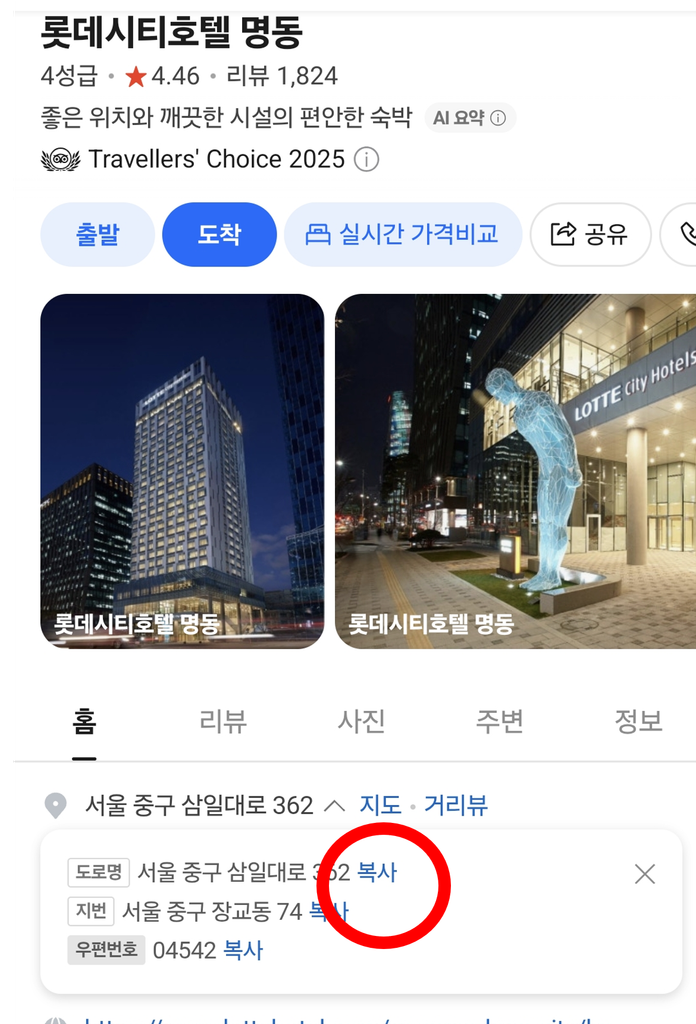
Getting the address right is often more important than choosing the perfect delivery app.
Korean delivery services work best with a Korean road-name address, and riders are usually more comfortable with the Korean version than an English address copied from Google Maps.
A simple order to follow is:
- Korean road-name address
- Building or hotel name
- Unit, floor, or lobby instructions
- Contact information you can access
Check the location in Naver Map or Kakao Map and make sure the pin is actually on the entrance you expect the rider to use. For place searches and the correct building entrance, see our step-by-step Naver Map guide.
For hotels, compare the map result with the address on the official hotel website.
For an Airbnb or guesthouse, use the host’s instructions rather than guessing.
How to Pay Without a Korean Credit Card
Foreign payment support is much better than it used to be, but approval can still vary by bank.
Baemin: Foreign-issued cards, Alipay+, and WeChat Pay are officially supported. Eligible foreign-issued Visa, Mastercard, JCB, and American Express cards can also be used through Apple Pay. Google Pay was not listed as an official option in the sources checked.
Shuttle Delivery: Major international credit cards and PayPal are accepted. Orders are prepaid during checkout.
Coupang Eats: Overseas Visa and Mastercard payments are available according to current industry reporting, although you still need to complete the account and checkout process.
Yogiyo: Foreign-card support has been introduced, but phone verification may still be the bigger problem for a short-term visitor.
Even when an app officially accepts your card type, your own bank can still decline an unfamiliar overseas transaction.
If food delivery is important to you, bring at least two payment cards rather than relying on one. You can also check our Korea payment guide for more tips on using foreign cards while traveling.
What to Do If No Delivery App Works
Do not assume delivery is impossible because one app rejects your card or asks for a phone number.
Try a different route.
- If Coupang Eats or Yogiyo blocks you at verification, try Baemin guest ordering.
- If Baemin rejects your payment, try another card.
- If you want English customer support, check Shuttle.
- Look for pickup instead of delivery if the restaurant offers it.
- Ask hotel reception to confirm your Korean address or explain where riders should meet you.
- If necessary, use a nearby convenience store or restaurant as the low-stress backup.
Sometimes the problem is not the app at all. It can be one restaurant, one payment gateway, one bank, or one badly entered address.
Example: Ordering Korean Fried Chicken Without a Korean Number

Here is a realistic example.
Imagine you are staying at a hotel in Myeongdong. You have a data-only Korean eSIM, a foreign Visa card, and basically no Korean speaking ability.
This is what I would do:
- Ask the hotel whether delivery riders meet guests in the lobby or outside.
- Copy the hotel’s Korean road-name address and building name.
- Open Baemin in English and use the guest-order flow.
- Enter the hotel address and choose a nearby chicken restaurant.
- Double-check the serving size, bone-in or boneless option, sauce, delivery fee, and estimated arrival time.
- Pay using your foreign Visa or an eligible Apple Pay setup.
- Add a short note if necessary, such as “로비에서 받을게요” — “I’ll receive it in the lobby.”
- Watch the tracking and head downstairs before the rider arrives.
If the card is rejected, try another card first.
If Baemin still does not work, enter the same hotel address into Shuttle and see what is available.
That is usually much faster than spending 30 minutes fighting with a verification screen while your chicken gets further away emotionally.
Baemin vs. Shuttle vs. Coupang Eats vs. Yogiyo
| App | Best for | Skip if |
|---|---|---|
| Baemin | Most tourists who want plenty of choice without a Korean number | You need English-speaking human support during the entire process |
| Shuttle | Simple setup, PayPal, and English customer service | Your location has few restaurants or expensive delivery |
| Coupang Eats | People who successfully complete signup and want a polished delivery experience | Account verification blocks you |
| Yogiyo | Users who already have a suitable verified account | Korean SMS verification prevents signup |
A few years ago, Shuttle was the easiest answer whenever a visitor asked how to order delivery in Korea.
In 2026, I would change that recommendation.
Start with Baemin.
Its combination of guest ordering, overseas payment support, restaurant choice, and broad coverage makes it the strongest all-around option for most travelers.
Keep Shuttle installed—or bookmarked—as Plan B.
Frequently Asked Questions
Can foreigners use Baemin in Korea?
Yes. Baemin supports guest ordering without login or identity verification and offers foreign payment options. English, Japanese, and Chinese are also available.
Restaurant availability still depends on your location.
Can I use Baemin without a Korean phone number?
Yes. Baemin states that a Korean phone number is not required for its visitor-friendly guest-order process.
Which Korean food delivery apps accept foreign cards?
Baemin and Shuttle clearly support foreign payment methods.
The cited August 2026 reporting describes overseas-card support on Coupang Eats and Yogiyo. It does not verify today’s signup and checkout requirements for your account.
Can tourists use Coupang Eats?
Some tourists can.
Coupang Eats offers English and overseas Visa and Mastercard payment support, but account verification may still be an obstacle if you do not have a Korean phone number.
Are Korean food delivery apps available in English?
Yes.
Baemin, Shuttle, Coupang Eats, and Yogiyo all provide English support to varying degrees. Individual restaurant menu descriptions may still contain incomplete or awkward translations.
Can I get food delivered to my hotel in Seoul?
Usually, yes.
Ask the hotel where guests should meet delivery riders. In many cases you will collect the food in the lobby or outside rather than having it delivered directly to your room.
Can I order food with a data-only eSIM?
Yes, if you use an app that does not require Korean SMS verification.
Baemin guest ordering and Shuttle are the easiest options to try first.
Can I order food to the Han River?
Yes.
Use a designated delivery or pickup zone at the correct Hangang park and meet your rider at that exact location.
Sources & Last Updated
The app policies and payment details in this guide were checked against the following sources:
- Baemin Global visitor page — languages, overseas payments, Korean phone number requirements, hotels, Airbnb, Hangang ordering, fees, and tracking
- Baemin merchant guide for foreign tourist orders — guest ordering without login or verification, translations, and overseas payments
- Baemin App Store listing — current app availability and features
- Yonhap News Agency, July 29, 2026 — tourist ordering without a Korean phone number, overseas cards, and Hangang initiatives
- Yonhap News Agency, May 31, 2026 — Apple Pay support with eligible overseas cards
- Shuttle Delivery official FAQ — payments, operating hours, delivery fees, estimated delivery times, and prepaid checkout
- Shuttle App Store listing — email signup, phone verification, supported languages, international cards, PayPal, and live chat
- VisitKorea Shuttle guide — international-card use and designated Hangang delivery zones
- Coupang Eats Google Play listing — English support, pickup, delivery benefits, and real-time tracking
- Yogiyo App Store listing — English support and SMS authentication
- Maeil Business Newspaper, August 25, 2026 — overseas cards, language support, and overseas-number verification status across major Korean delivery apps
Source review: October 15, 2026. Baemin’s guest-order merchant guide, Shuttle’s FAQ and developer listing, and the developer listings for Coupang Eats and Yogiyo were reviewed. August 2026 onboarding and card reports remain historical references; no new account registration, SMS-verification or payment test was performed.
Delivery-app policies, payment methods, promotions, fees, and service areas can change. Check the current signup and payment options inside the app before ordering.